Company memory
Knowledge, Projects, Policies, and the shared files that give AI company context.
Sync and share HQ with your whole team.
HQ Cloud manages the syncing and sharing behind HQ. It keeps company memory, Skills, Projects, Workers, Policies, MCP connections, Secrets, and Integrations available to the right people and Agents.
Why HQ Cloud
HQ Core creates the company’s memory and operating structure. HQ Cloud turns it into a shared system the whole team can use, rather than a collection of files and connections that only one person has.
It keeps the important parts of HQ current across people and computers, gives administrators one Console for visibility and access, and lets teammates share the same company context without passing folders or credentials around.
What Cloud keeps together
Knowledge, Projects, Policies, and the shared files that give AI company context.
The repeatable ways of working and reusable specialists the team has built.
The Integrations and Secrets that connect HQ to the systems the company uses.
The teammates, Agents, groups, and grants that decide who can use each part of HQ.
HQ Console
HQ Console is the management and visibility layer for HQ Cloud. Browse the company Vault, manage people and Agents, connect systems, store Secrets, create access groups, and see how HQ is being used.
The Console does not replace the file-based HQ your team works with. It gives the company a clear view of the shared system and the controls around it.
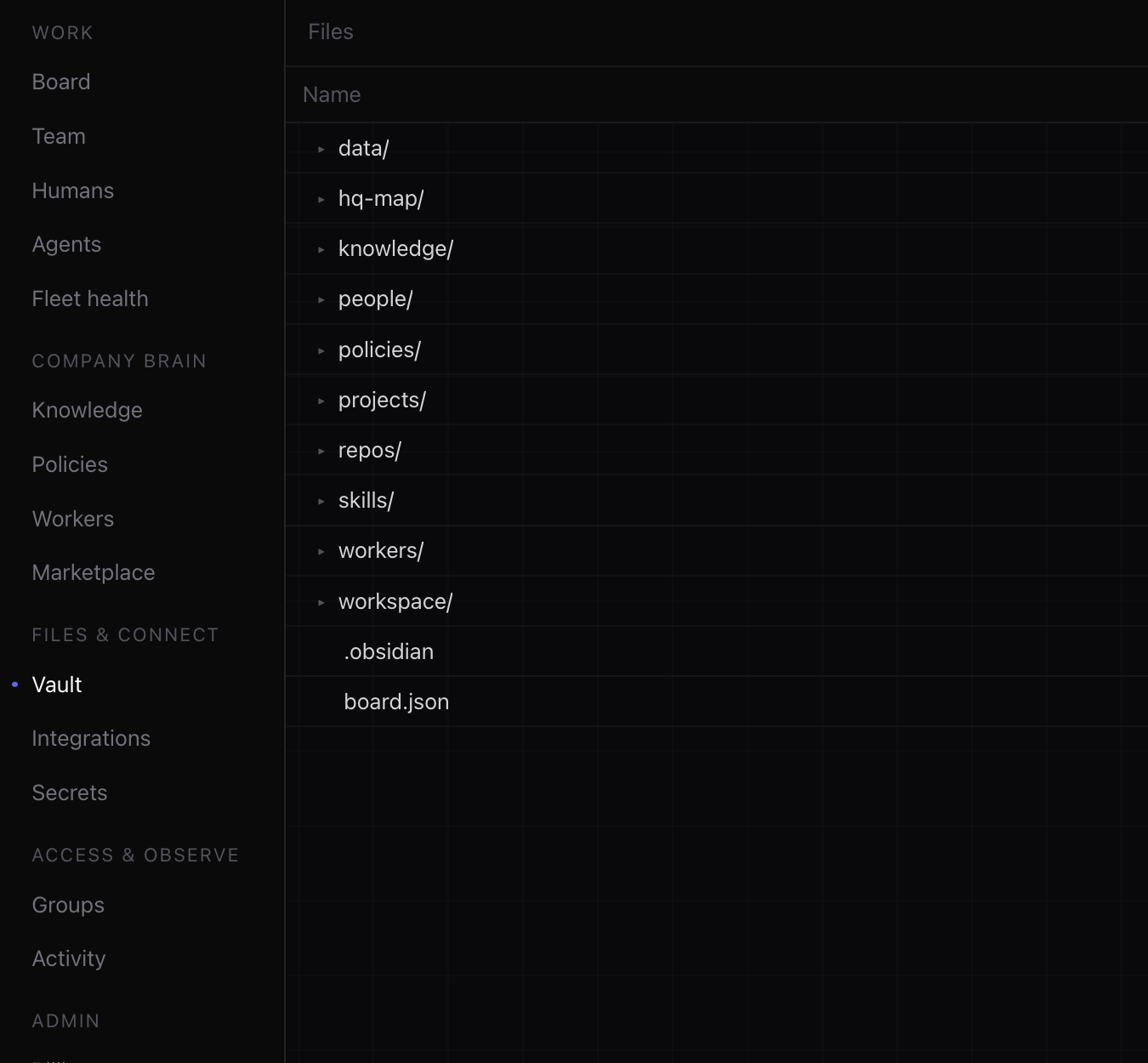
The Vault inside Console shows the shared HQ files that are available to the team.
Access control
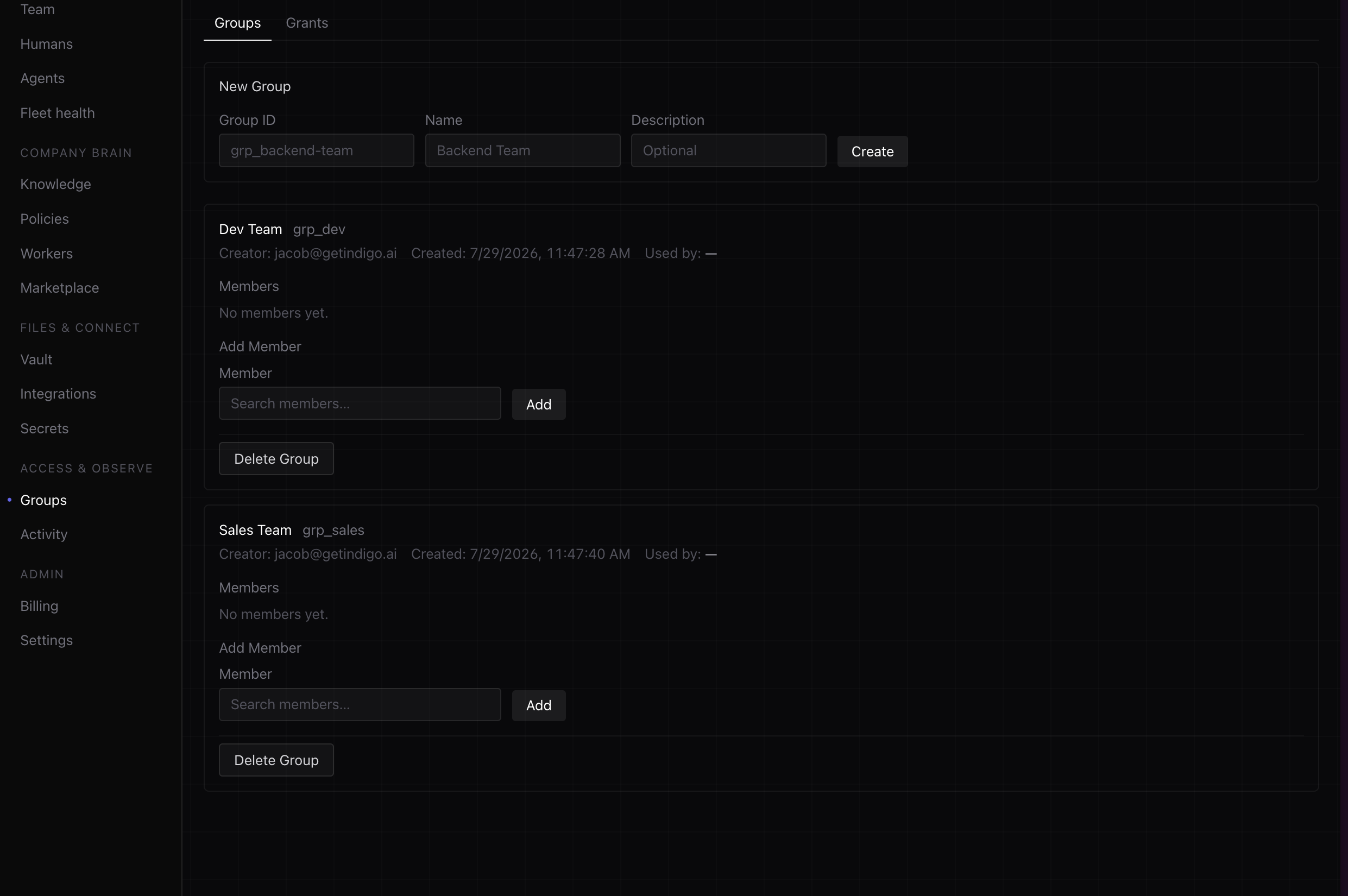
Create groups, provision access, and decide who can use specific files, Secrets, connections, deployments, and Agents. Teammates inherit the access they need without opening the entire company HQ.
Activity
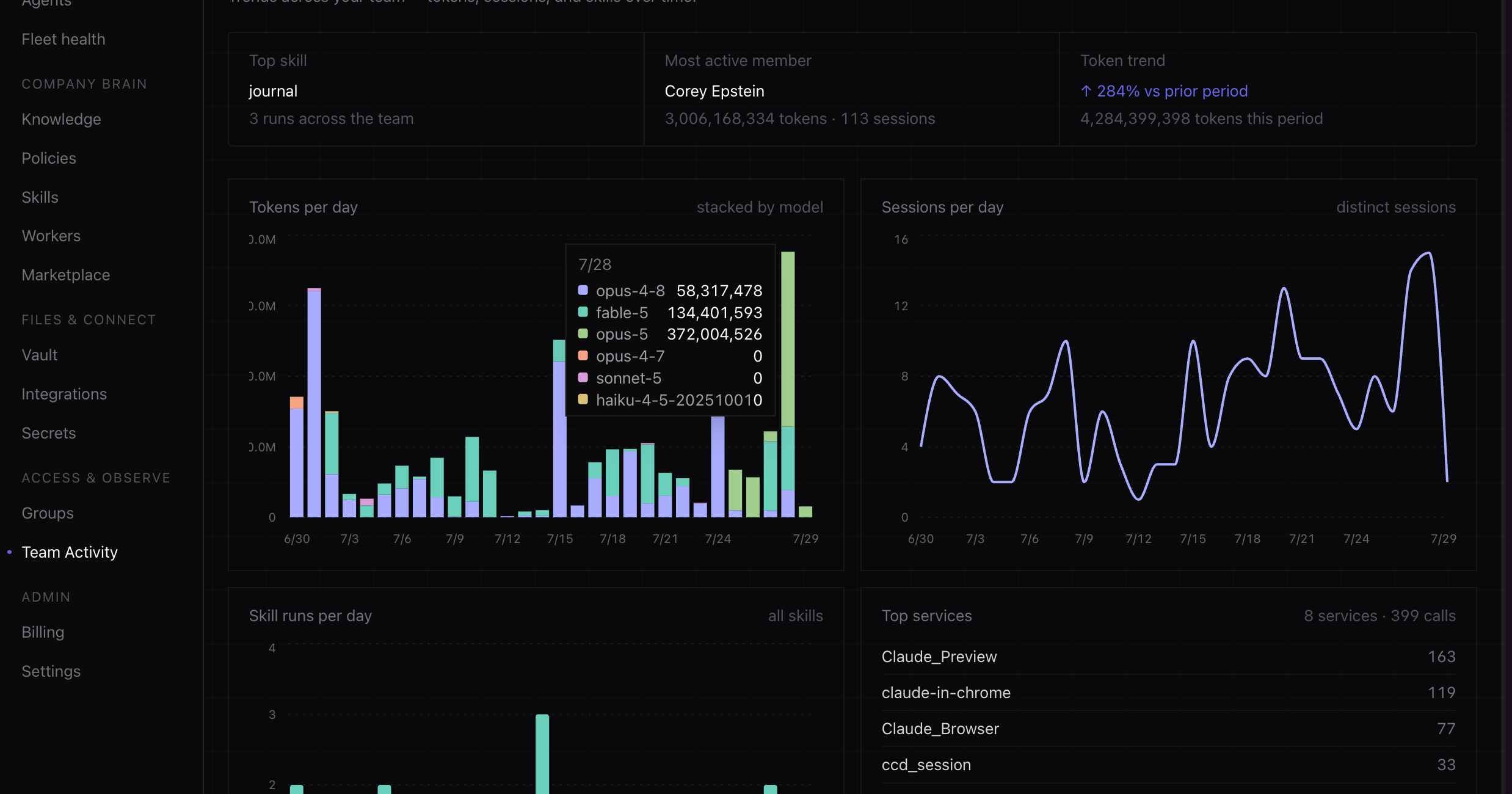
Console gives leaders and administrators visibility into sessions, Skills, services, and activity across the team. See what is being used, where work is happening, and what needs attention.
HQ Desktop
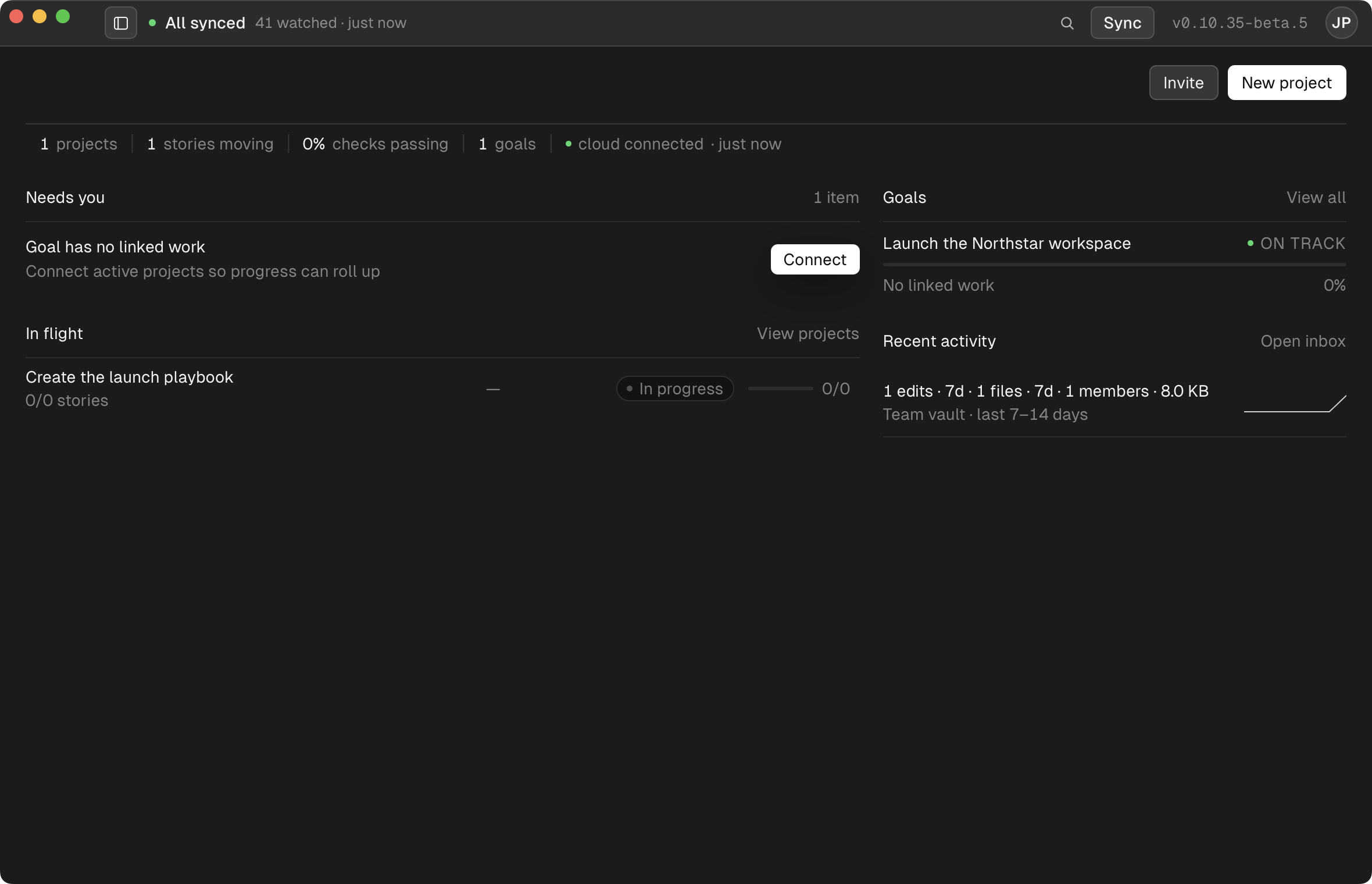
HQ Desktop gives each teammate a native place to browse company HQ, see what is available locally, and move between the apps and context they use. It also makes the state of syncing visible instead of leaving it hidden in the background.
HQ Sync
HQ Sync keeps local and cloud HQ aligned across the team. Updates to company memory, Skills, Projects, Workers, Policies, and other approved files move to the people who have access, while conflicts surface for review instead of silently overwriting someone’s work.

HQ Cloud
One shared system, available wherever the work happens.